

Rent Rolls
Rent Rolls are property-linked snapshots used to capture unit mix, occupancy, and rent metrics at a point in time. Open the property detail page, use the add related-record action, and choose Add Rent Roll.
Create A Snapshot
Section titled “Create A Snapshot”The new record is already linked to the property. Enter a snapshot name and rent roll date. Available fields include total units, average rent per unit or square foot, physical and economic occupancy, gross potential rent, and structured unit-mix data.
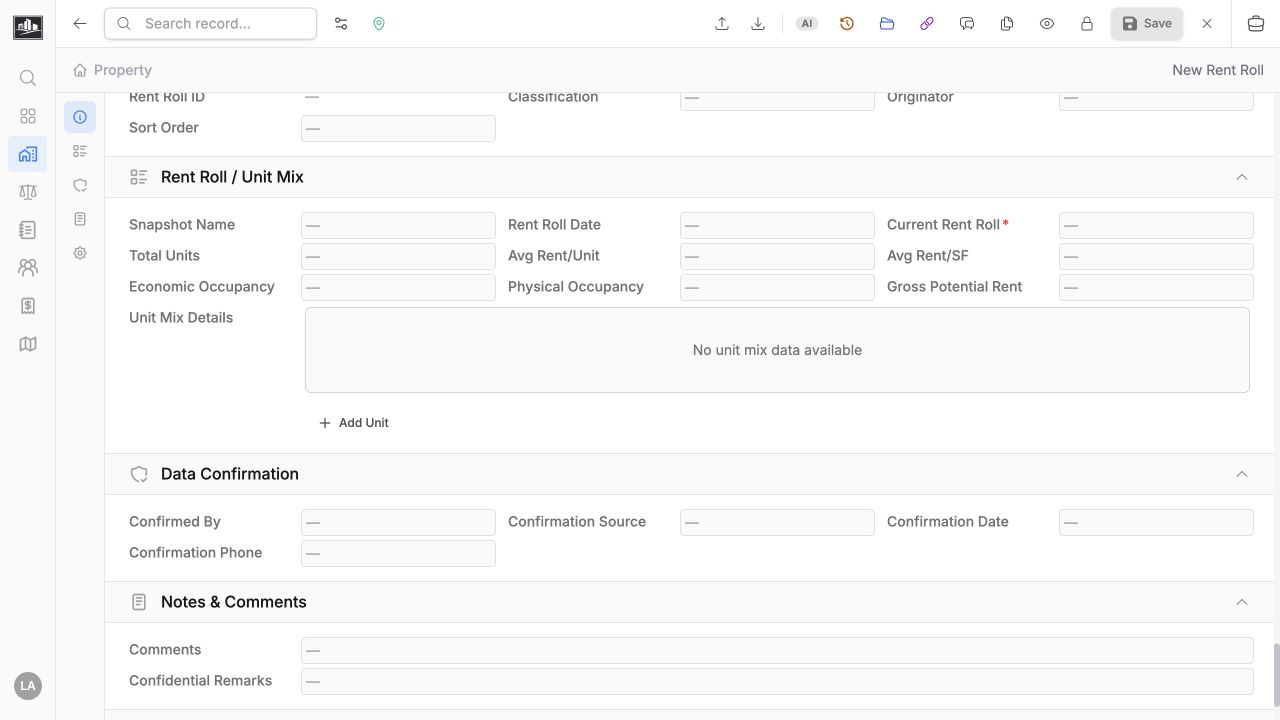
Mark a snapshot as the current rent roll only after confirming that it is the latest approved source for the property. Keep older dated snapshots when trend or appraisal support requires them.
Review Property Snapshots
Section titled “Review Property Snapshots”Saved rent rolls remain attached to the property record. Use the snapshot name and date to distinguish multiple sources for the same property, and use the Current Rent Roll value to identify the approved current snapshot.
Rent Rolls appear alongside the property data types, but they are not one of the four comparable types currently supported by Comp Sets. Comp Sets include Sales, Leases, Income/Expense, and Cost records.