

QuickBooks Integration
QuickBooks Online can be connected from the app’s integrations settings so invoice data stays aligned with the accounting system your team already uses.
What Syncs
Section titled “What Syncs”- Invoice creation from re-base.io assignments to QuickBooks Online
- Client-to-customer mappings, including links from re-base.io client records to QuickBooks customers
- Invoice identifiers and sync status back on re-base.io invoice records
- Optional automatic customer creation when no existing mapping is available
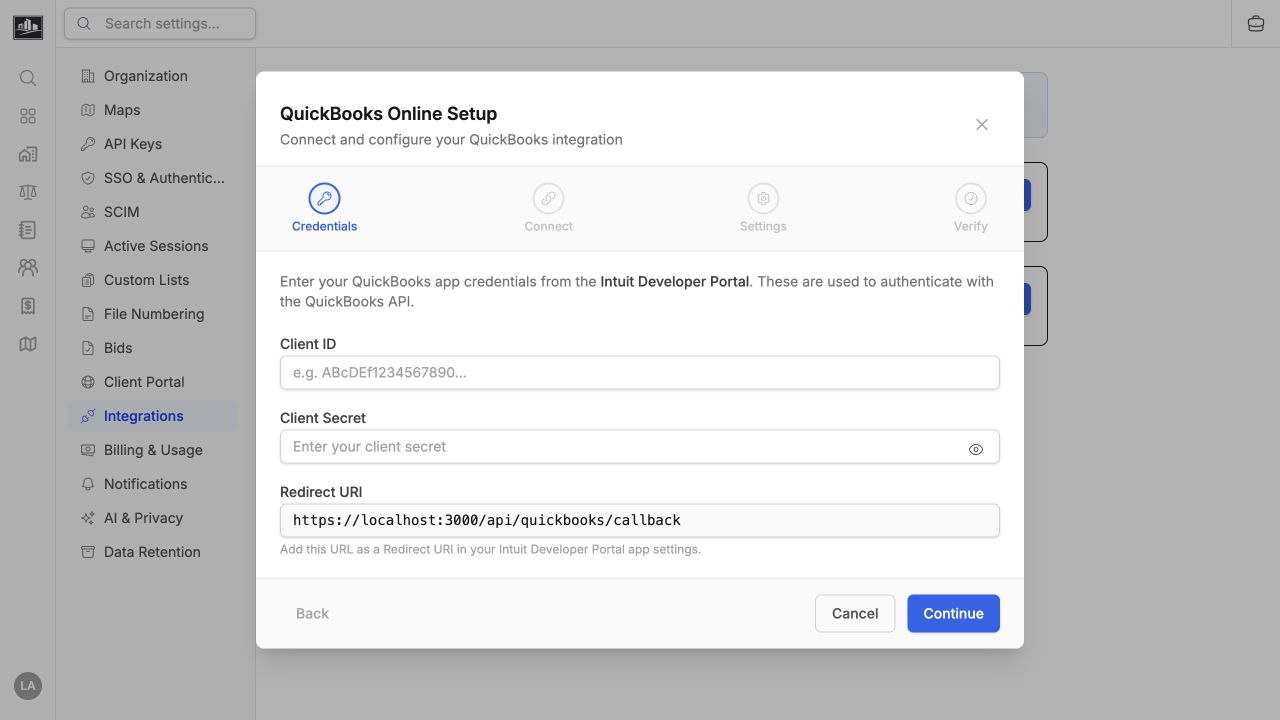
An organization admin configures the QuickBooks app credentials, connects through OAuth, and chooses the invoice sync behavior in settings. QuickBooks and Xero are mutually exclusive accounting targets for an organization; connecting one disables the other so invoices do not sync to two ledgers at once.
Invoice Flow
Section titled “Invoice Flow”When invoice sync is enabled but automatic sync is off, re-base.io shows a confirmation step before invoice creation. The dialog lets a user select an existing QuickBooks customer, link that customer to a re-base.io client, create a new local client from QuickBooks data, or create the invoice without syncing.