

Comp Sets
Comp Sets are saved groups of comparable records. Use them when you need to collect market evidence for an analysis, keep a shortlist ordered, reuse the same comparables across workflows, or move selected comps into an assignment.
Comp Sets can include:
- Sales comparables.
- Leases comparables.
- Income/Expense comparables.
- Cost comparables.
Availability depends on your organization configuration. If Comp Sets are enabled, the folder action appears in the property and comparable workspace.
Build A Comp Set
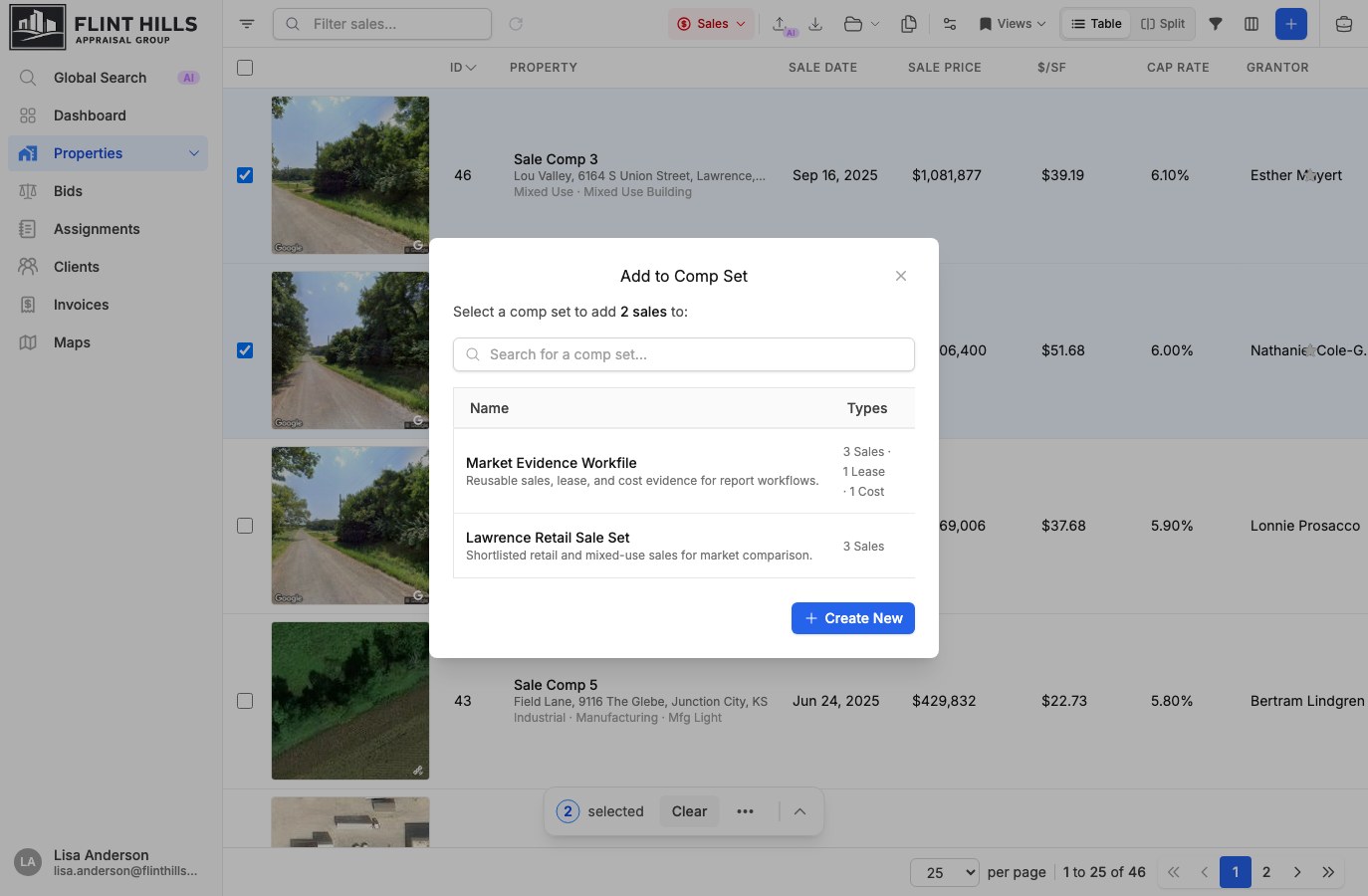
Section titled “Build A Comp Set”Open Properties, then switch to a comparable view such as Sales, Leases, Income/Expense, or Cost. Select one or more comparable rows and choose Add to Comp Set from the toolbar, overflow menu, or row actions.
From the Comp Sets modal, you can:
- Search existing comp sets by name.
- Add the selected comparables to an existing set.
- Create a new comp set with a name and optional description.
- Open a comp set without adding new items when you just want to review it.
Duplicate additions are skipped so the same comparable is not added twice to the same set.
Review And Manage Items
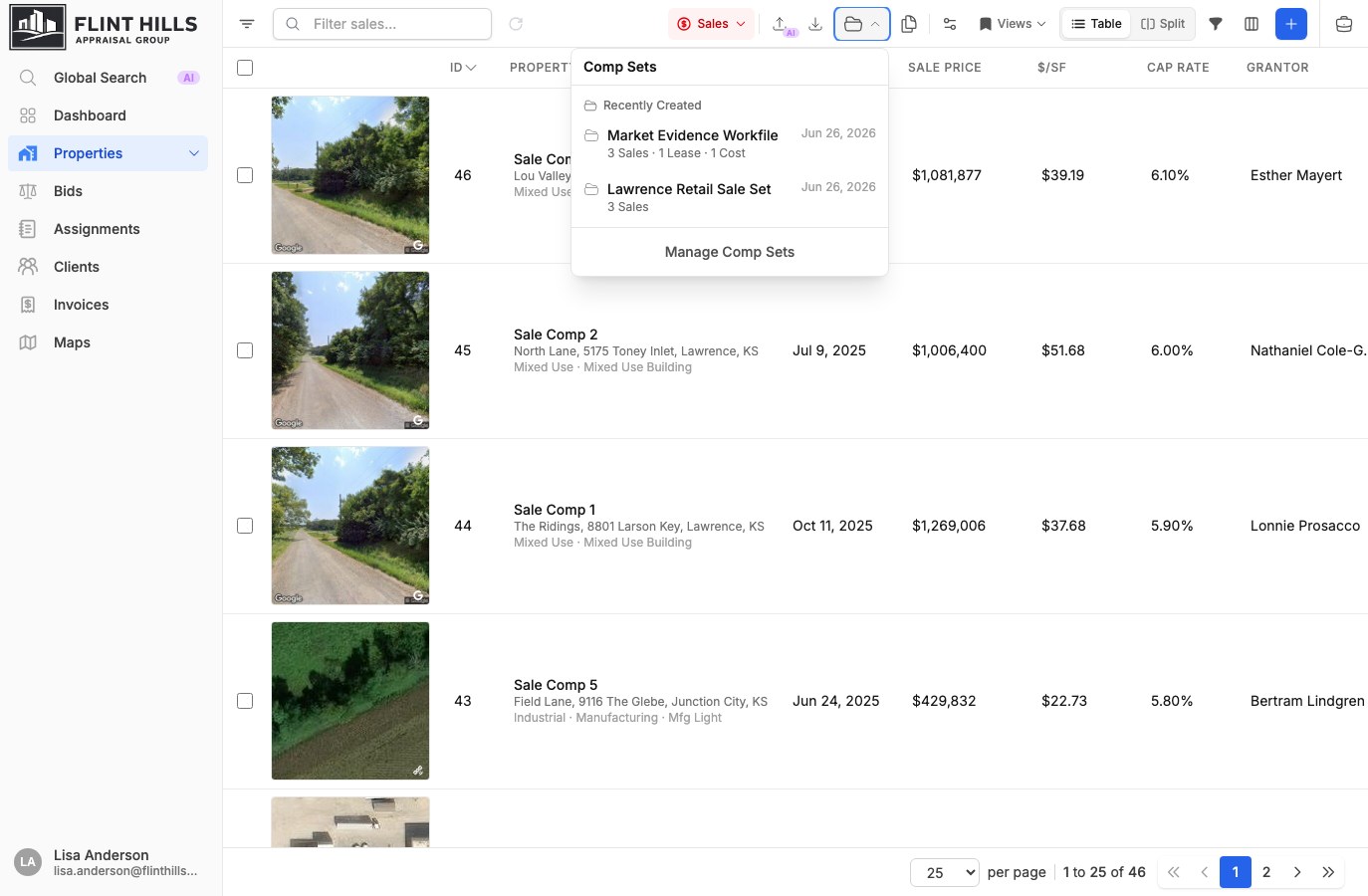
Section titled “Review And Manage Items”Open the Comp Sets folder action to browse recently viewed and recently created sets. Selecting a set opens the relevant property or comparable list scoped to that set.
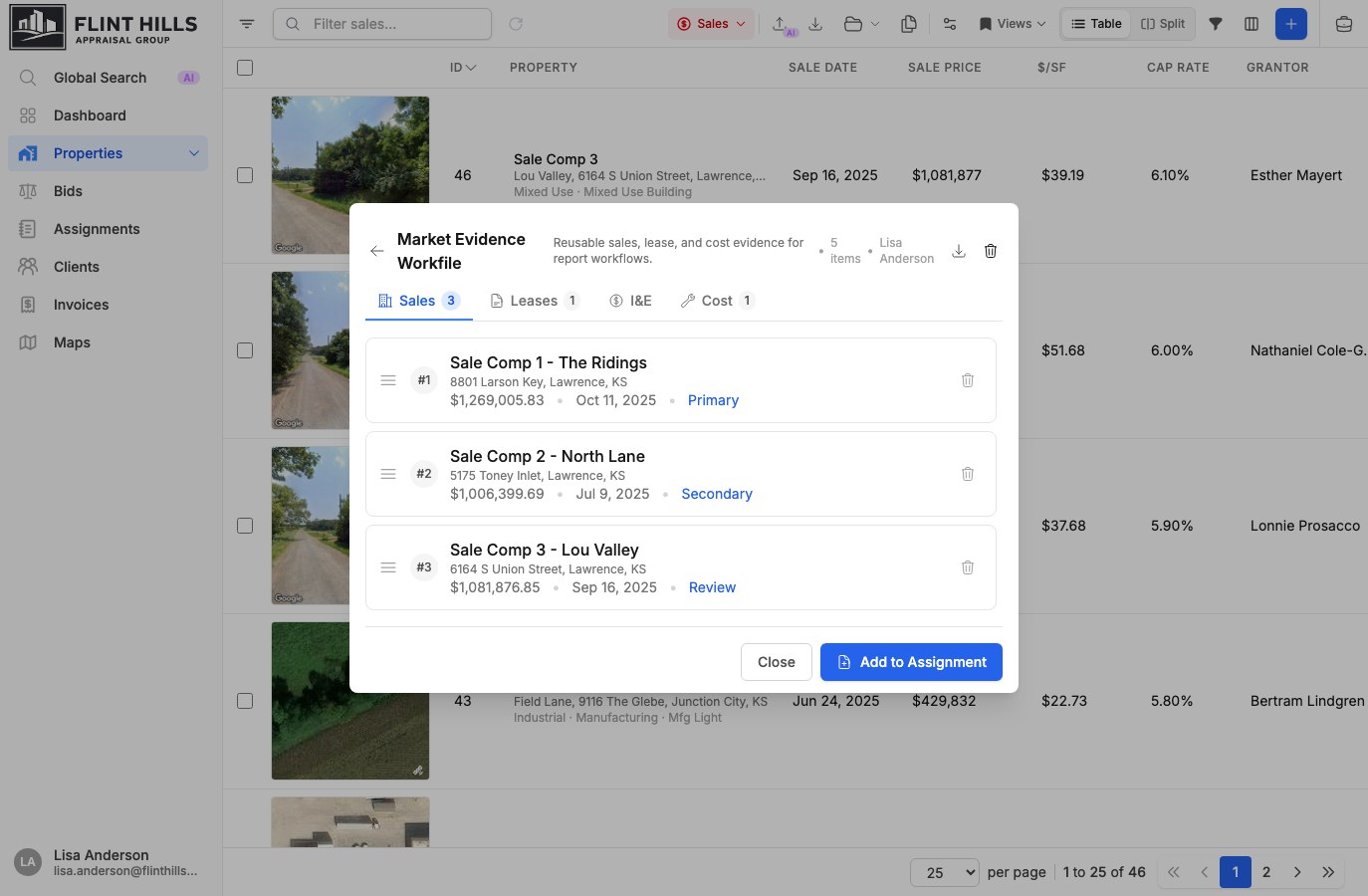
Inside the Comp Set detail panel, items are grouped by comparable type:
| Tab | Key fields shown |
|---|---|
| Sales | Property, sale price, and sale date. |
| Leases | Property, rent per square foot, and lease date. |
| I&E | Property, NOI, and income/expense context. |
| Cost | Property and total cost. |
Use the drag handle to reorder items. The displayed comp number follows the current order, so the list can match the sequence you want to use in analysis or reporting. You can also remove individual items or delete the full comp set when it is no longer needed.
Scope The Workspace
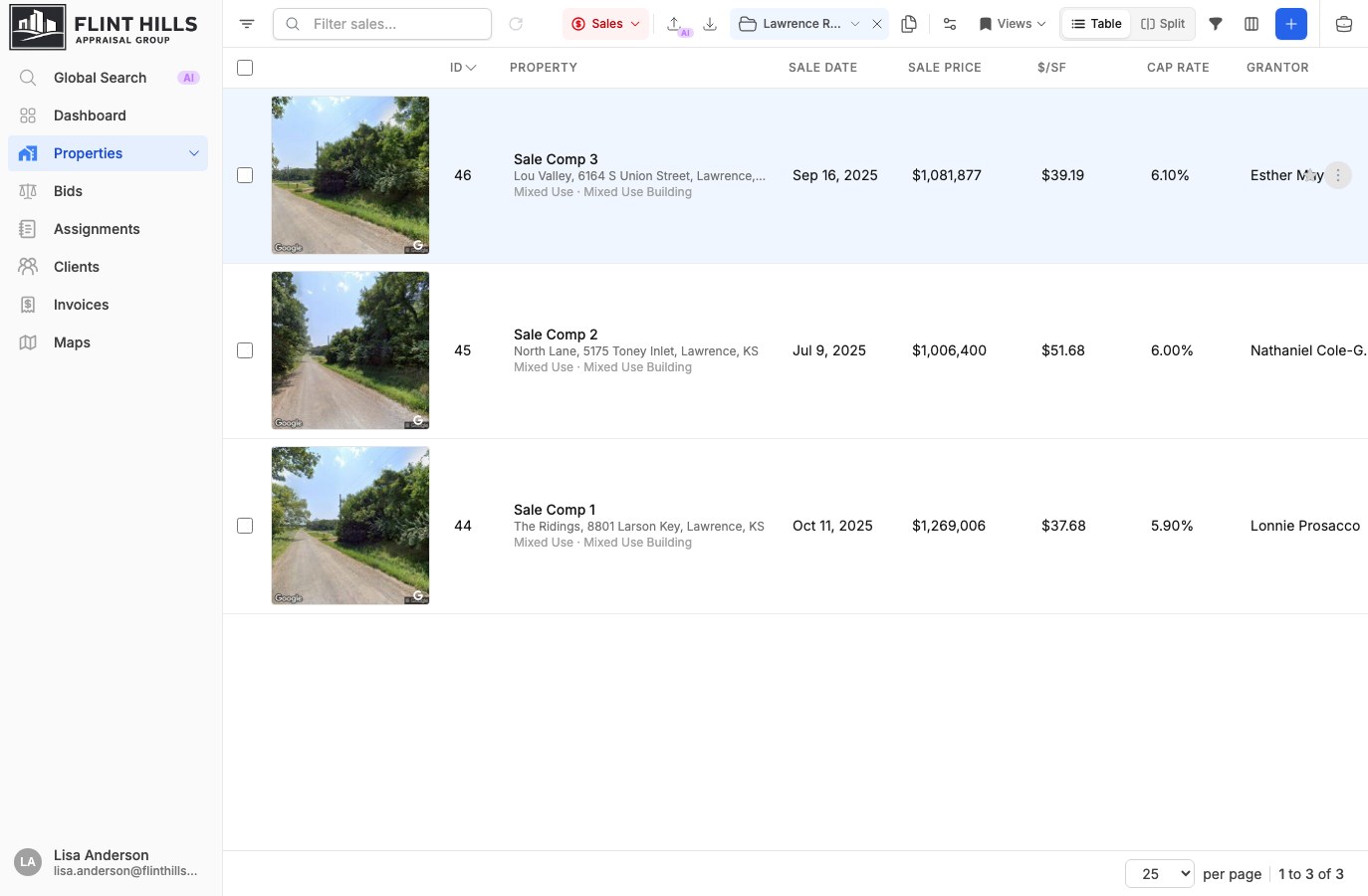
Section titled “Scope The Workspace”Selecting a Comp Set scopes the property or comparable table to only records in that set. The active Comp Set appears in the toolbar and the URL includes the Comp Set ID, so the scoped view can be refreshed or shared with teammates who have access.
When a Comp Set contains a single comparable type, the workspace opens directly to that comparable view. Mixed-type sets open in the property list and scope the view to related properties.
Clear the active Comp Set from the toolbar to return to the normal property or comparable list.
Export A Comp Set
Section titled “Export A Comp Set”From the Comp Set detail panel, use Export Comp Set to export the current tab or the entire set.
Export supports:
- CSV for spreadsheet review.
- PDF using available PDF export templates and organization branding.
When exporting the entire set, each non-empty comparable type is exported as its own file so sales, leases, income/expense, and cost records keep their type-specific columns.
Copy To An Assignment
Section titled “Copy To An Assignment”Use Add to Assignment from a Comp Set detail panel when the selected comparables should become assignment comps. You can select which Comp Set items to copy, search for an existing assignment, or create a new queued assignment to receive them.
Items already linked to the destination assignment are skipped. New items are copied into the assignment while preserving the selected comparable type and order.
Related Features
Section titled “Related Features”- Comparable Analysis for creating and filtering sale, lease, income/expense, and cost records.
- Assignments & Workflow for ordered assignment comparables.
- Property Database for the related property records behind each comparable.
- Office Add-in for using assignment and comp set data in Word and Excel.