

Office Add-in
The Office Add-in connects Word and Excel templates to re-base.io assignment and comparable data. It runs in the Office task pane and uses re-base.io OAuth sign-in instead of browser cookies.
Select Work
Section titled “Select Work”After signing in, search for an assignment or comp set. The add-in also shows pinned, active, and recently viewed items when available. Open the browser link from a result when you need the full re-base.io record.
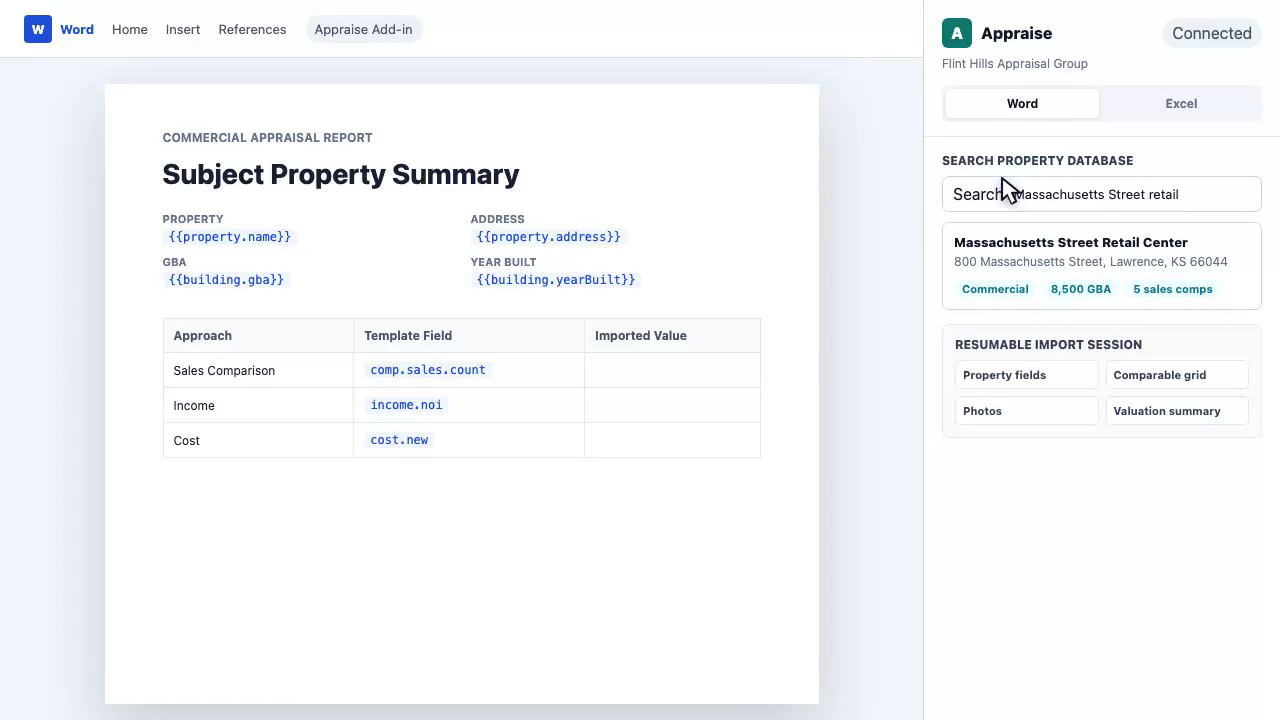
Selecting an assignment loads its subject property, assignment fields, comparables, files, and related data for insertion into the current document or workbook.
Use Word Templates
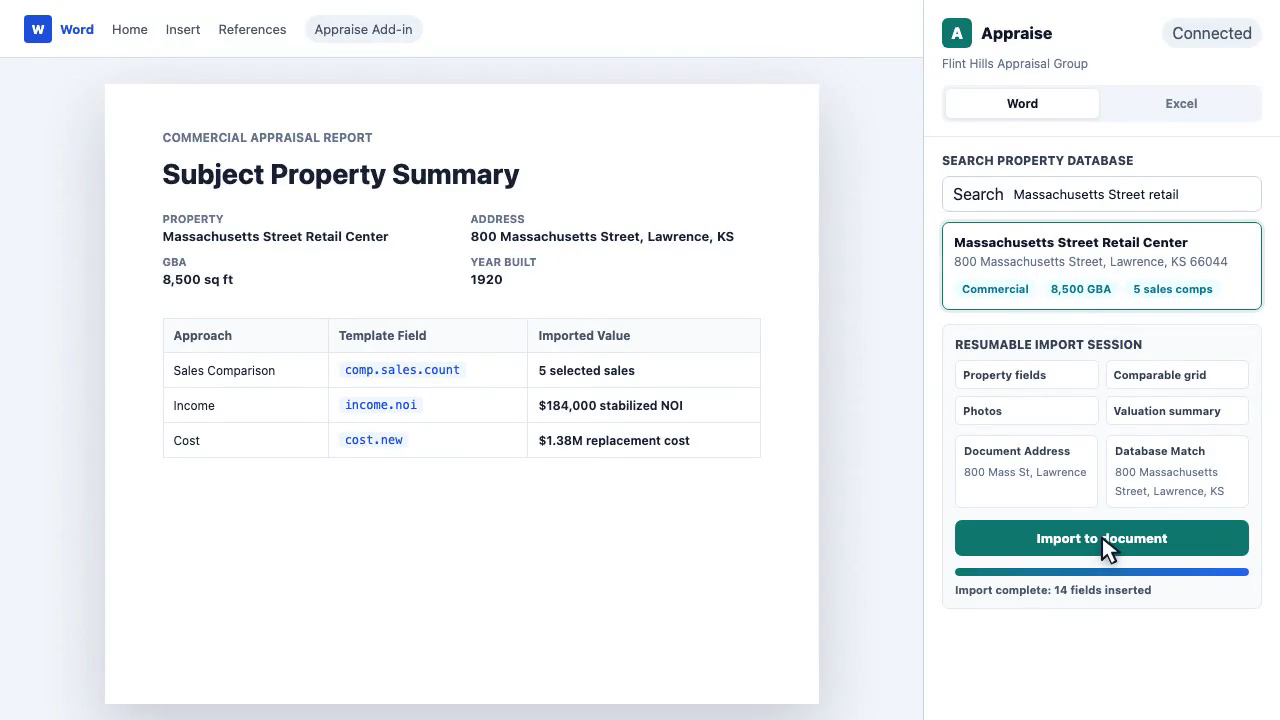
Section titled “Use Word Templates”In Word, use the drawer to insert field tags, media placeholders, map placeholders, and conditional sections. Imported fields are Word content controls, so they can be toggled between tags and values, highlighted, cleared, and refreshed.
The add-in can populate pre-existing tagged templates. Rich Text content controls are required for template population because Word.js does not enumerate Plain Text controls in the same way.
Word media tools can insert assignment images, inspection photos, and generated map images. Map insertion supports base map provider, content mode, comparable types, data layers, labels, legends, and zoom presets.
Use Excel Templates
Section titled “Use Excel Templates”In Excel, the add-in can insert fields into selected cells or ranges. Property fields can be inserted as a single cell, subject plus comparables, or comparables only, across columns or down rows.
Excel templates should use named ranges when possible. The supported naming
patterns are appraise-import:FieldName for subject or assignment data and
appraise-comp-N:FieldName for comparable slots.
Sync And Write Back
Section titled “Sync And Write Back”Use sync to refresh imported values from re-base.io. When supported, the add-in can detect document edits and show a write-back review before uploading changes.
Related Features
Section titled “Related Features”- Assignments & Workflow for the source assignment data.
- Comparable Analysis for comparable fields.
- File Management for media inserted into reports.