

Assignments & Workflow
Assignments are the production record for appraisal, consultation, and study/review jobs. They connect the subject property, client, assignees, due dates, report details, comparables, files, invoices, and workflow status in one place.
Use Assignments to:
Review The Pipeline
Section titled “Review The Pipeline”Open Assignments from the main navigation. The list view combines the deadline summary, workflow counts, saved views, search, filters, and editable assignment rows.
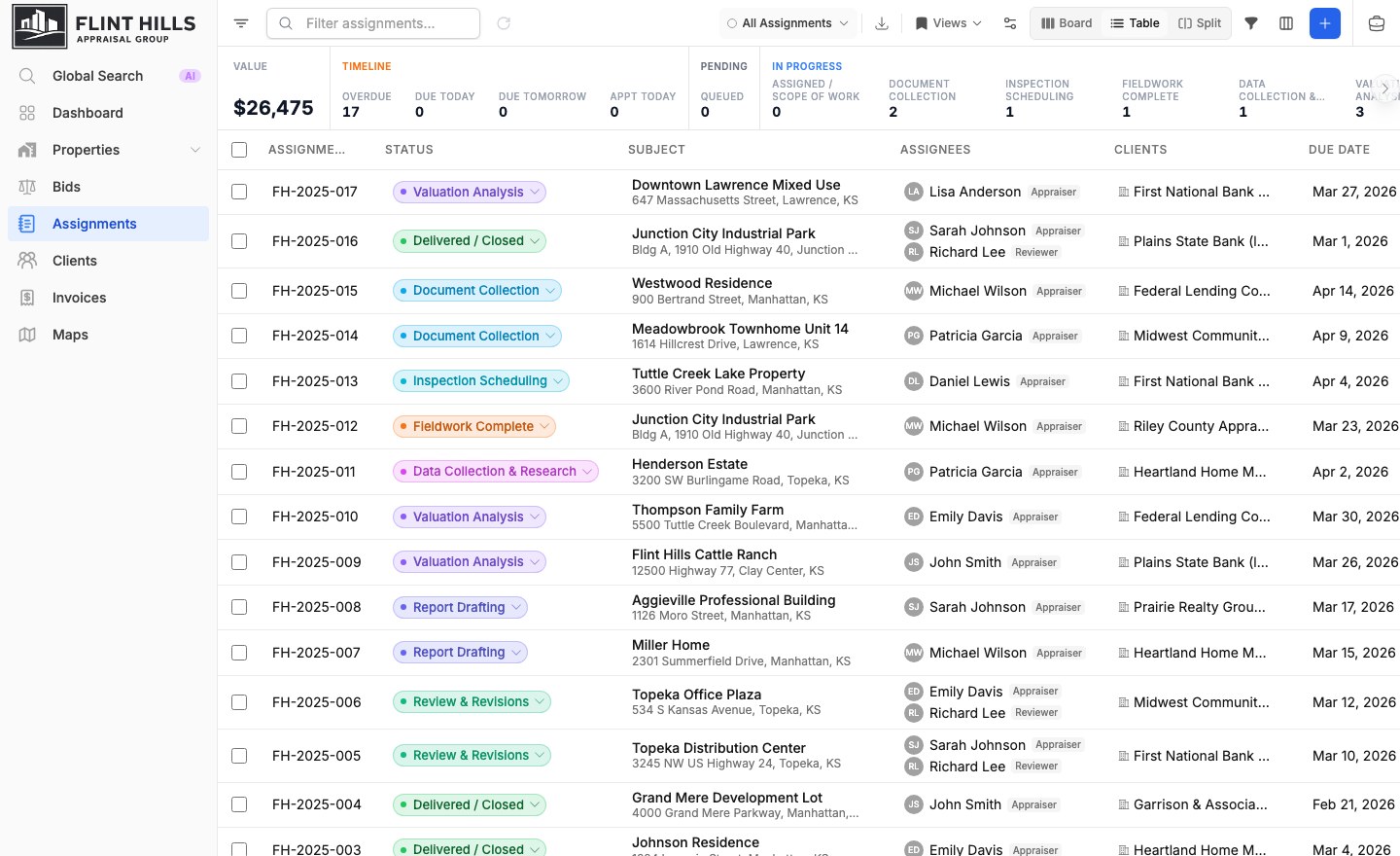
The same records can be reviewed in four views:
| View | Best for |
|---|---|
| Board | Moving work through production stages. |
| Table | Sorting, filtering, editing columns, and bulk review. |
| Split | Comparing assignment rows with mapped subject locations. |
| Map | Reviewing assignment locations without the table. |
Work The Board
Section titled “Work The Board”Board view groups cards by assignment status so managers can see where work is stacking up.
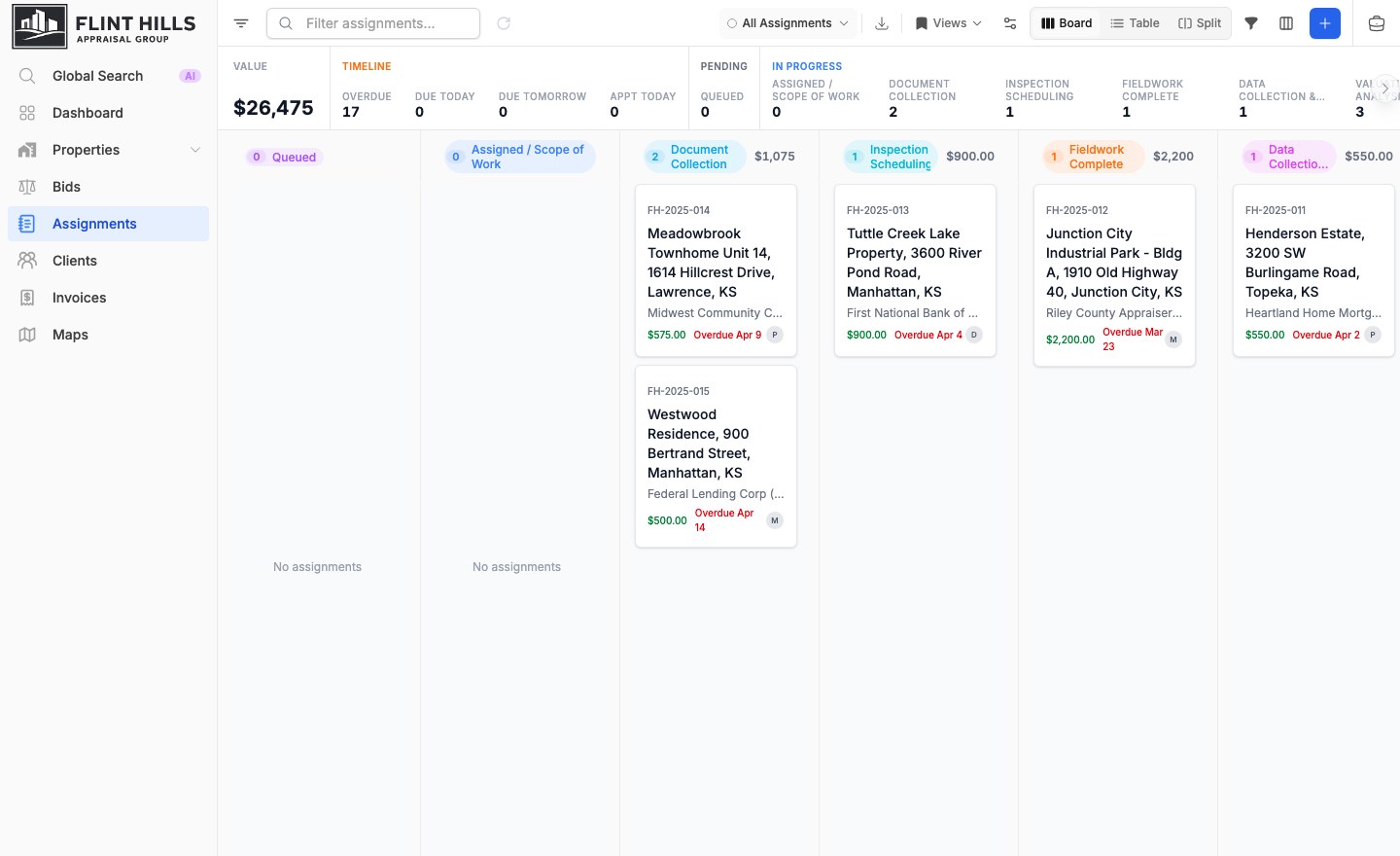
Cards show the assignment number, subject, client, fee, due date, and assignee context. Drag cards between lanes to update status when your role allows it. Status labels and colors are organization-configurable, so your workspace may use different names than the examples shown here.
Create Assignments Quickly
Section titled “Create Assignments Quickly”Click Add Assignment from the workspace to start a new job.
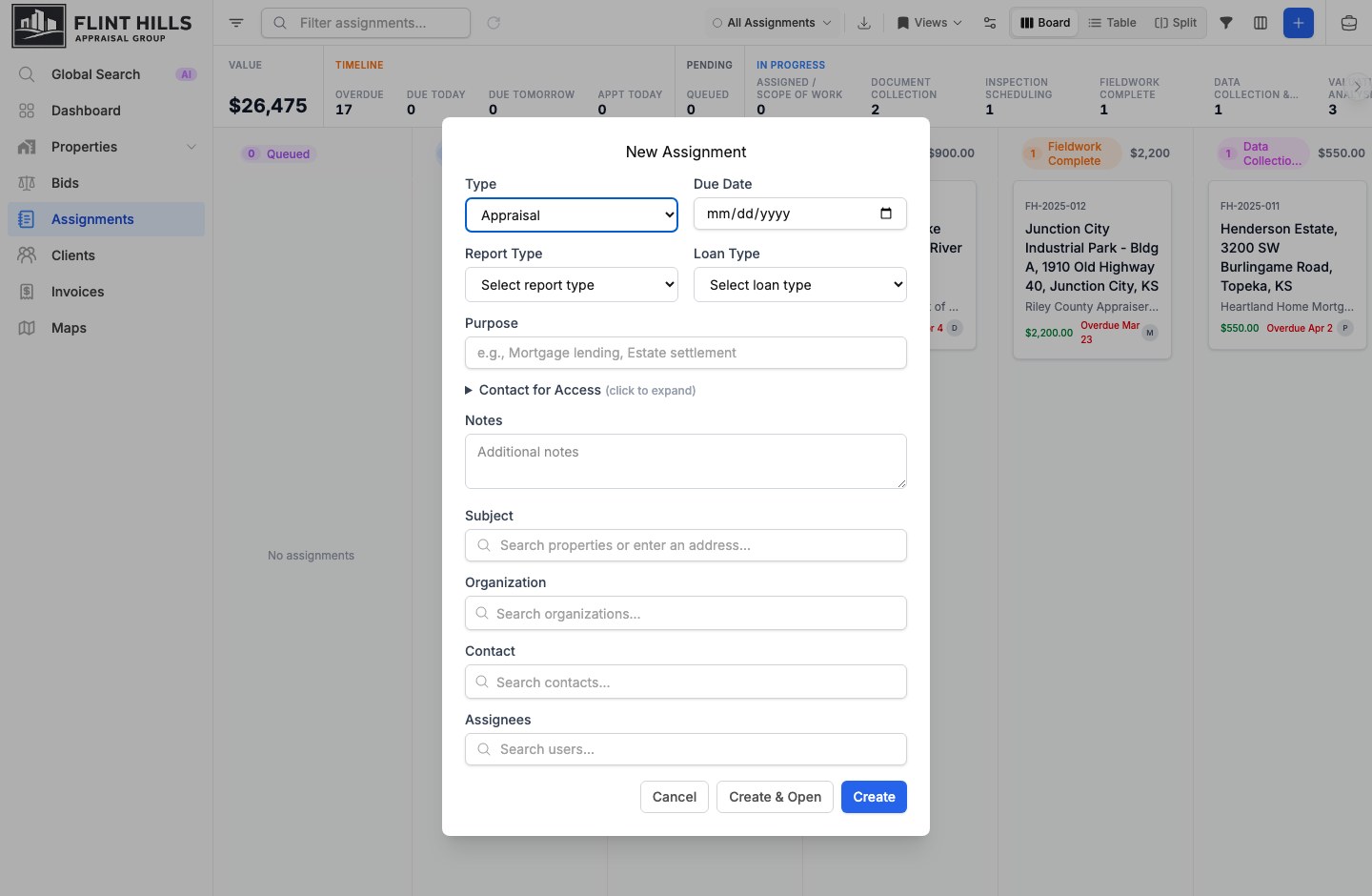
Quick create captures the essentials: type, due date, report and loan type, purpose, access contact, notes, subject property, organization, contact, and assignees. Assignments can also start from accepted bids, selected map properties, or related record workflows.
Open The Assignment Detail
Section titled “Open The Assignment Detail”The detail page keeps production fields, valuation data, comparables, and map context together.
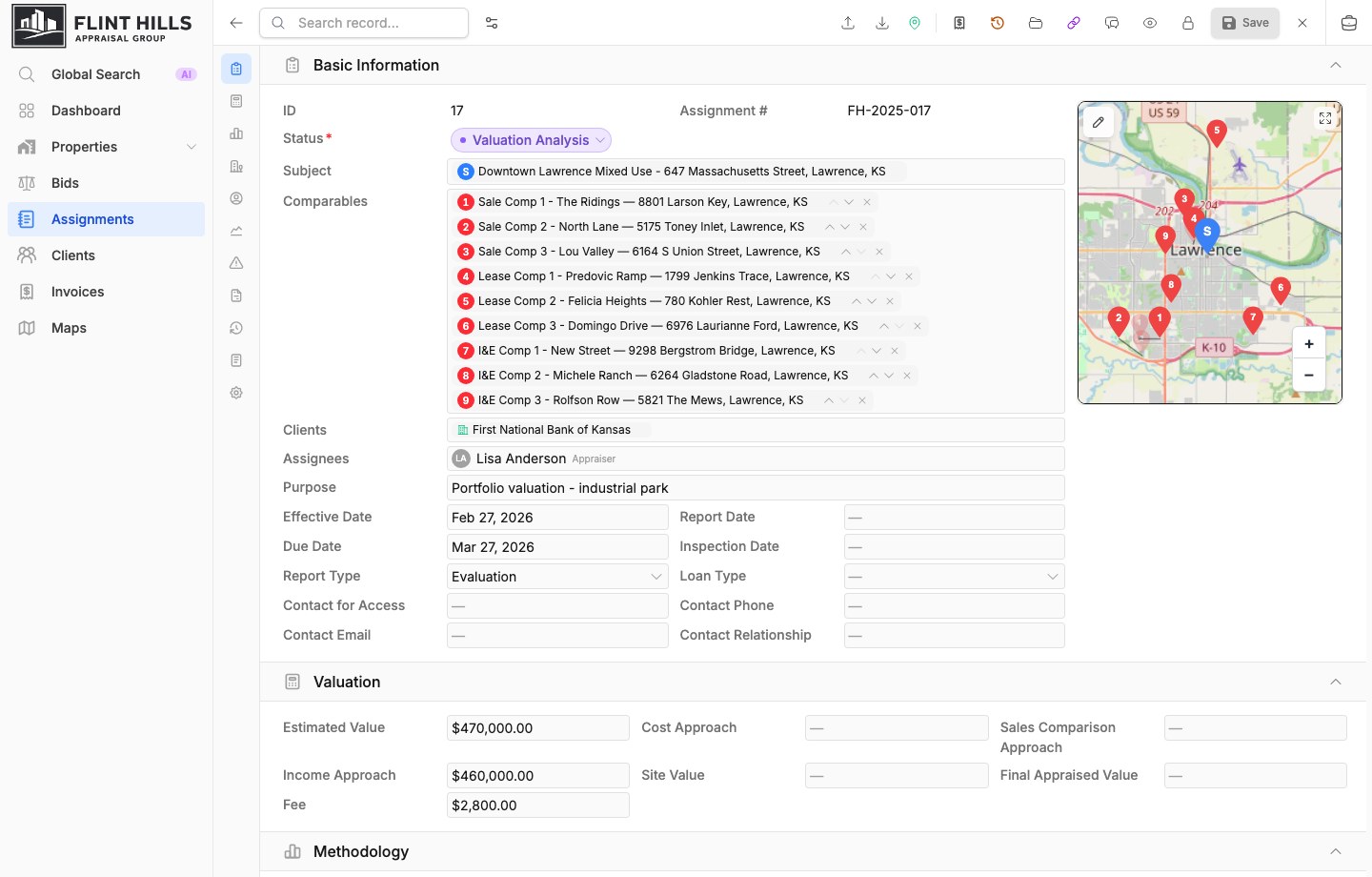
Use the section tabs to jump between Basic Information, Valuation, Methodology, HBU Analysis, Market Analysis, Conditions and Assumptions, Administrative, Prior Sale, Notes, and System Information. Linked comparables stay ordered and numbered so the selected analysis set is preserved with the assignment.
Compare Subjects And Comparables
Section titled “Compare Subjects And Comparables”On an existing assignment, choose Compare beside View on Map. On a phone, open the assignment action menu and choose Compare. The action is available after the form has at least one subject property and one comparable.
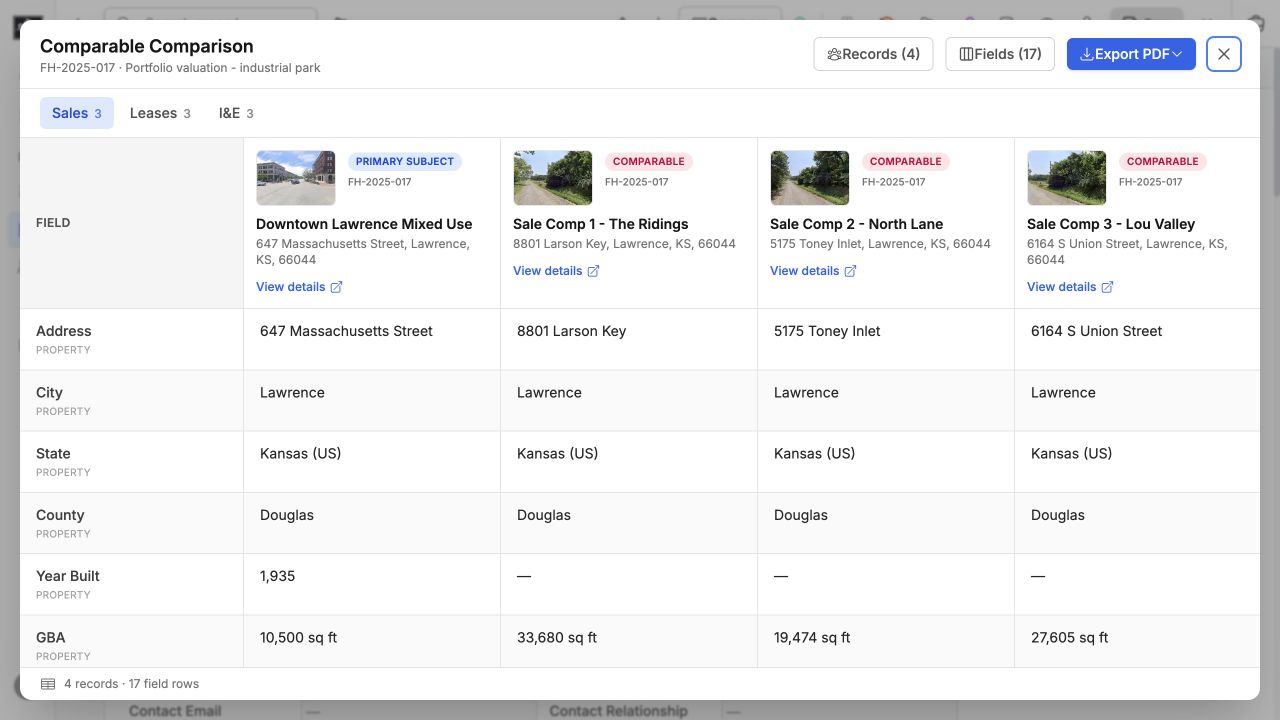
The comparison reads the current form selections, including additions, removals, and ordering that have not been saved yet. It does not change the subject or comparable links on the assignment.
- When more than one comparable type is present, use Sales, Leases, I&E, or Cost to switch tables. The type control is hidden when only one type is present.
- Use Records to include or exclude subjects and comparables. The primary subject and all comparables are selected initially; secondary subjects are available but start hidden. At least one record remains visible.
- Use Fields to search, enable, disable, and reorder comparison rows. Choose Reset to restore the property and comparable defaults.
Your last field layout is saved automatically for each comparable type and is reused on other assignments. Record selections apply only to the current modal session.
Choose Export PDF to create a branded landscape comparison. With multiple types, export either the current type or all types in one file. The PDF follows the visible records and configured field rows, repeats the field and primary subject columns across wide pages, and substitutes a consistent placeholder when a photo is unavailable.
Workflow Tips
Section titled “Workflow Tips”| Need | Use |
|---|---|
| Find overdue work | Timeline counts, due-date filters, and table sorting. |
| Rebalance workload | Assignee filters, assignee columns, and inline assignment edits. |
| Track production stage | Board lanes or status fields on the assignment detail page. |
| Start from a location | Map or Split view, then create an assignment from selected property context. |
| Handle sensitive work | Restriction levels and confidential fields on the assignment record. |
| Present selected comparables | Compare for a configurable side-by-side table and branded PDF. |
Related features
Section titled “Related features”- Bidding Pipeline for converting won bids into assignments.
- Property Database for subject property records.
- Comparable Analysis for sales, leases, income/expense, and cost data.
- Interactive Mapping for location-based assignment work.
- File Management for supporting documents and report files.